What is an AI second brain, really?
An AI second brain captures the things you save and lets an AI find and connect them when you ask in your own words. Here is what the category does, what it doesn't, and where dEssence fits as one option.
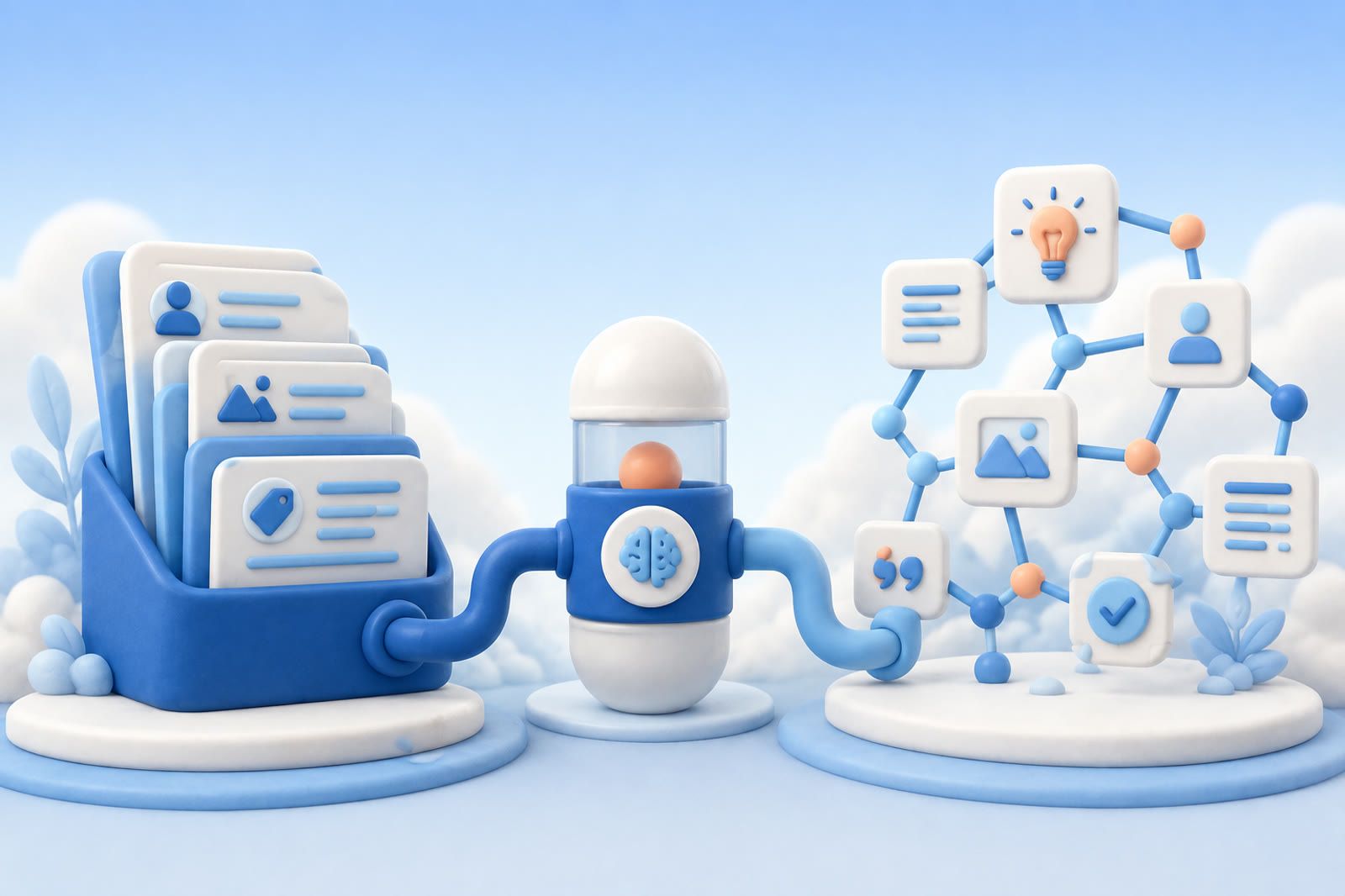
An AI second brain is software that captures the things you save, links, files, screenshots, notes, voice memos, and lets an AI search and connect them so you can ask in your own words instead of remembering where each item went. It does the filing and recall a paper notebook or folder system cannot, turning a scattered pile of saves into a memory you can question.
The phrase borrows from the older idea of a "second brain," popularized by Tiago Forte's Building a Second Brain: an external store for the ideas, references, and notes your biological memory keeps dropping. The classic version was a folder-and-tag system you maintained by hand. The AI version drops most of that maintenance. Instead of organizing everything into the right place at save time, you save first and let the system retrieve by meaning later.
That shift is the whole point, so it is worth being precise about what changes and what does not.
What does an AI second brain actually do?
Strip away the marketing and an AI second brain does three jobs.
First, capture. You feed it whatever you want to keep: an article you read, a PDF, a screenshot of a receipt, a Telegram message, a voice note dictated on a walk. Good ones accept more than text, because the things you lose are rarely just text.
Second, understand. Behind the scenes it reads what you saved, the words in an article, the text inside a screenshot, the transcript of a voice memo, and builds a searchable representation of the meaning, not just the file name.
Third, recall and connect. Later you ask a question in plain language, "the recipe with the miso dressing I saved last month," "what did that article say about pricing", and it pulls the relevant items back, sometimes pulling together two things you saved weeks apart.
The older PKM tools could store and, with effort, search. What the AI layer adds is recall by meaning and synthesis across items. You do not need to remember the exact title or which folder it lives in. You describe what you half-remember, and the system finds it.
How is it different from a notes app or a bookmark folder?
A notes app is a place to write. A bookmark folder is a place to drop links. Both are storage. Neither helps you find anything once the pile gets large, because both depend on you filing things correctly and remembering your own filing logic months later.
An AI second brain inverts that. The work moves from save time to ask time, and the system does the ask-time work for you. With a bookmark folder, future-you has to scroll. With an AI second brain, future-you asks a question and reads the answer.
This is why "save it, forget it, ask for it later" is a useful way to think about the category. The promise is not a tidier folder tree. It is a memory you don't have to maintain. You stop curating and start questioning.
What an AI second brain does not do
The category is oversold, so the honest boundaries matter.
It is not magic recall of things you never saved. If you read an article and closed the tab without capturing it, an AI second brain has nothing to retrieve. It remembers what you put in, not everything you have ever seen.
It is not a thinking replacement. It can surface the note where you decided something and connect it to a related save. It does not do the deciding. The output is your own material handed back to you, organized by relevance, which is exactly the point, but it is not original judgment.
It is not always private by default. Some tools process your content on their servers to make it searchable. If privacy matters, read how a given product handles your data before you pour years of saves into it. The right answer here is product-specific, not a property of the whole category.
And it is only as good as what you feed it. A near-empty account will not feel like much in the first week. The value compounds: the more you save, the better the recall, because there is more for the system to connect.
How does an AI second brain work under the hood?
You do not need the internals to use one, but a rough mental model helps you judge claims.
When you save something, the tool extracts the content, the article body, the text in an image, the words in a voice memo, and converts it into a form a model can search by meaning rather than by exact keyword. When you ask a question, it finds the saved items closest in meaning to your question and either shows them to you or feeds them to a language model that answers using your material. This retrieval-then-answer pattern is the same family of technique that powers AI memory features more broadly.
The practical upshot: you can ask loosely. "That thing about sleep and caffeine" can find an article titled something completely different, as long as the content matches. Keyword search needs the right word. Meaning search needs the right idea.
A week with an AI second brain
The category is easier to picture as a few ordinary days than as a feature list.
Monday. You read a long article about a city you want to visit and clip it. You screenshot a restaurant a friend recommended in a chat. You jot a one-line note: "book the museum a week ahead, it sells out." None of it feels like building a system. You are just keeping things you would otherwise lose.
Wednesday. A colleague sends you a PDF spec. You save it and move on, without filing it anywhere or renaming it.
Saturday. You are planning the trip and you ask, in plain language, "the city article and the restaurant my friend mentioned." Both come back, along with the museum note you had already half-forgotten writing. You did not remember the article's title or which chat the screenshot came from. You described what you wanted and read the answer.
That last step is the difference between storage and memory. A folder would have held all three items and made you go find each one. The AI version lets you ask once and pulls them together. The work you skipped on Monday, naming, filing, tagging, did not come back to bite you on Saturday, because the system carried it instead.
How to tell a real AI second brain from a notes app with AI bolted on
Plenty of products now claim the label. A few questions separate the real thing from a notes app with a chat box added.
Does it capture more than text? The things you lose are screenshots, PDFs, and voice notes, not only typed notes. If a tool only remembers what you type, it solves half the problem.
Does it read inside what you save? A real one searches the text inside an image and the transcript of a voice memo, not just the file name. If you can only find a screenshot by remembering its filename, nothing has changed.
Can you ask in plain language and get your own material back? The test is whether a loose, half-remembered query finds the right item. If you still need the exact title or the right folder, it is search with extra steps.
How many places can you save from? If capture only works inside one app, everything you encounter elsewhere, in a browser, a chat, on your phone, stays outside the memory.
Who is an AI second brain for?
It fits anyone whose useful information is scattered across more places than they can track: browser bookmarks, screenshots, a notes app, saved messages, a downloads folder of PDFs. If you regularly think "I know I saved this somewhere," you are the reader.
It fits less well if you already run a disciplined manual system and enjoy maintaining it, or if almost everything you need lives in one searchable place already. The category earns its keep when your memory is fragmented, with no folders, no tags, no organizing to glue it back together.
Where dEssence fits
dEssence is one AI second brain. You save links, files, PDFs, screenshots, and voice notes through the web app, a Chrome extension, or a Telegram bot, and later you ask in your own words to get them back. It is built around the save-first, ask-later pattern rather than a folder tree you maintain.
It is also worth being plain about its limits. dEssence is in beta, the paid tier is not finalized, and there is no native iOS or Android app yet, capture today runs through the Chrome extension, the Telegram bot, and the web app at dessence.ai. It is free during beta, with no card required. Like any tool in the category, it gets more useful the more you have saved.
Frequently asked questions
What is an AI second brain in simple terms?
It is an app that holds the things you save, links, files, screenshots, notes, voice memos, and lets you find and connect them by asking a question in plain language. It does the remembering and the searching, so you save things now and ask for them later instead of filing them into folders you have to maintain.
Is an AI second brain the same as a note-taking app?
No. A note-taking app is mainly a place to write and store. An AI second brain adds recall by meaning and the ability to connect items you saved at different times, so you can find something without remembering its title or which folder it went into. Some note apps are adding AI search, which narrows the gap, but the core difference is whether the tool does the finding for you.
Do I have to organize an AI second brain?
The point of the AI version is that you mostly do not. You save first, with no folders, no tags, no organizing, and the system retrieves by meaning when you ask. Manual PKM systems put the work at save time. AI second brains move it to ask time and do most of it for you.
Is an AI second brain private?
It depends on the product. Some process your content on their servers to make it searchable, so privacy is a per-tool question, not a guarantee of the category. If it matters to you, check how a specific tool stores and processes what you save before committing years of material to it.
Does an AI second brain replace my own thinking?
No. It surfaces and connects your own saved material so you can build on it. It hands your notes and references back to you organized by relevance. The judgment, the deciding, and the original ideas are still yours.
Honest about dEssence
Plainly: dEssence is in beta, the paid tier is not finalized, and there is no native mobile app yet, so capture runs through the Chrome extension, the Telegram bot, and the web app. Search quality grows with what you have saved, so a fresh account is quiet for the first week. It is free during beta, no card, and you can stop any time. If your saved life is scattered and you want a memory you don't have to maintain, that is the problem it is built to solve.